⚠
Sample data. Every screen on this page is from the working system, but the company names, contracts, matters and figures in them are sample records, not a client's.
Most legal software is either a generic ticketing tool bent into shape, or a build that begins the day you sign. This is neither.
Nothing on this page is a roadmap item. The twenty modules below are built and running. Implementation is connecting your Microsoft 365 tenant, mapping your SharePoint libraries, loading your registers and setting your roles, not writing the software.
Statuses, roles, permissions, workflow stages, reminder rules, regulators and retention periods are rows in your database with plain-English descriptions, not values buried in code. Most changes a department asks for are configuration, and the rest are small.
MySQL on your infrastructure, documents in your own SharePoint under your existing permissions and retention labels. An export produces every table plus a data dictionary describing every column, so you are not locked to this software either.
Each one is a working screen with its own register, record pages, permissions and reporting. They share one database, so a figure on the dashboard is the same record the auditor opens.
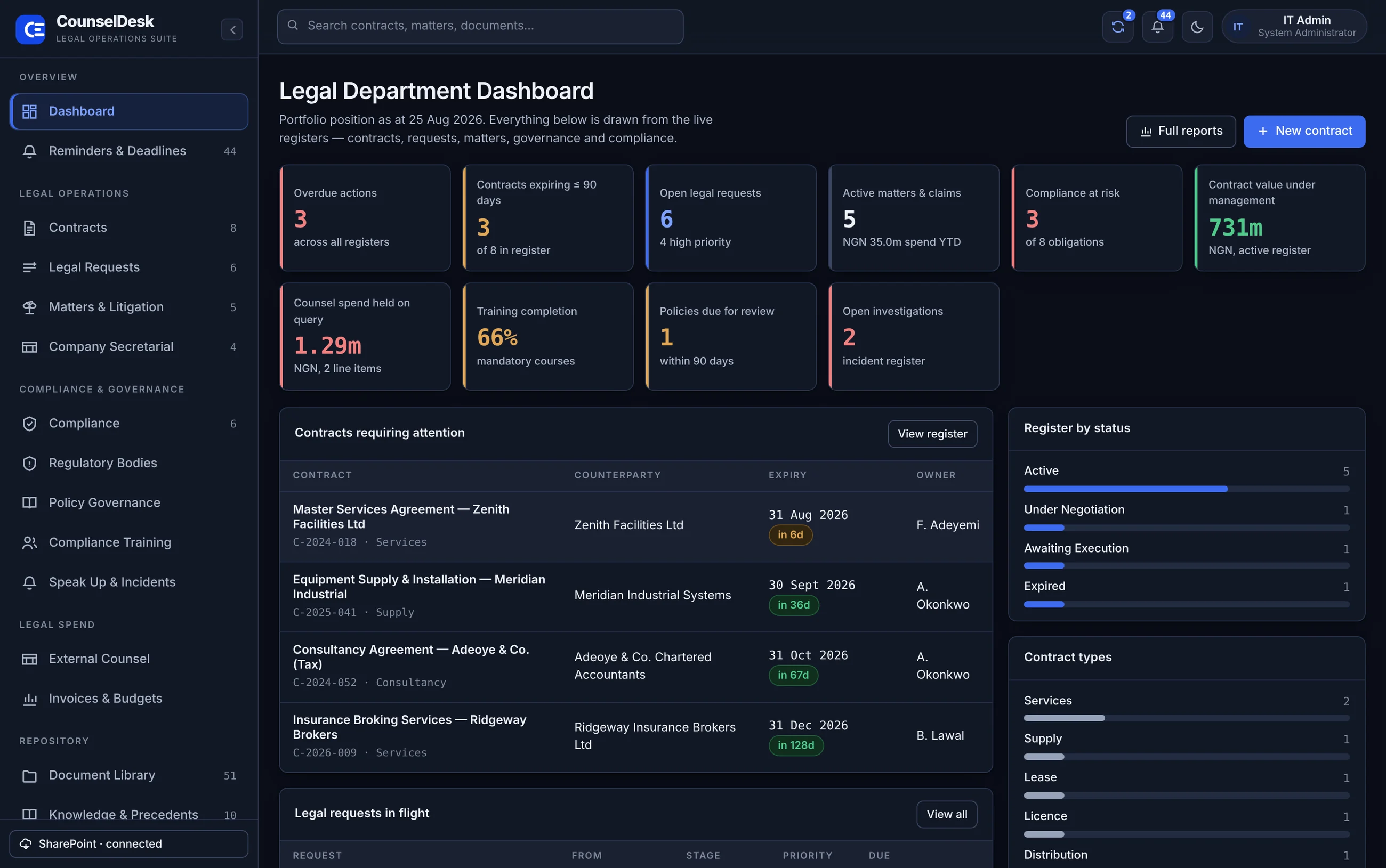
The department's position in one screen: overdue actions, expiring contracts, open requests, matters, compliance risk and value under management. Every figure links to the record behind it.
Every dated obligation the department is carrying, from every register, in one list: overdue, due within thirty days, and later.
Full register with obligations, securities and insurance, amendments, documents, approval routing and an ordered signature packet. One SharePoint folder per contract, created automatically.
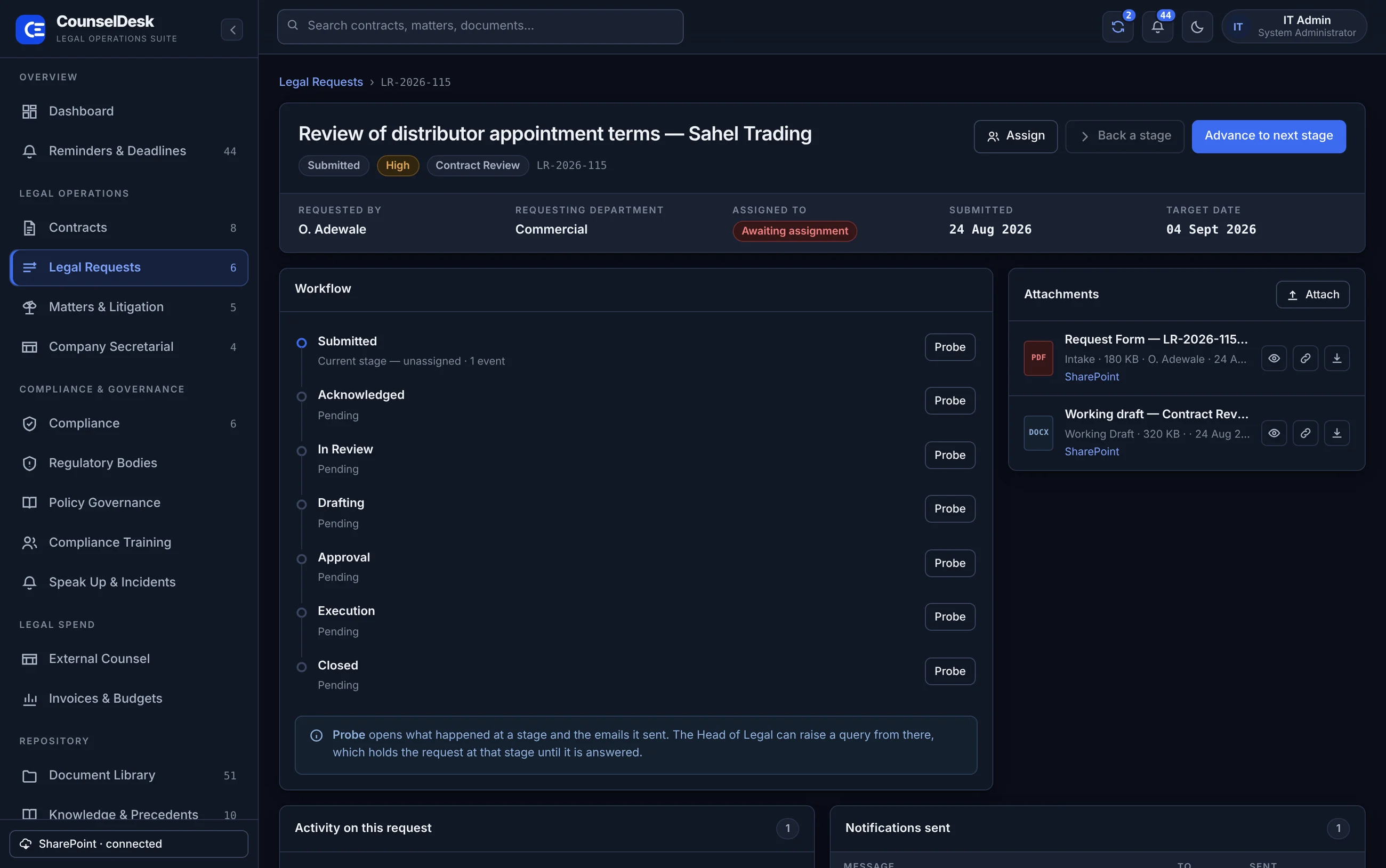
Intake from any department, assignment by the Head of Legal, and an email to the requester, the assignee and the Head at every stage, forward or back.
Court cases, employment claims, regulatory and tax disputes, corporate filings and advisory work. Responsible attorney, parties, chronology, limitation dates and conflict screening.
Board and committee meetings, notices, agendas, board packs, resolutions, minutes, action points and statutory records.
Every regulatory obligation with its responsible person, frequency, next deadline, status and the evidence held.
An administrator-managed register of statutory, industry and international authorities: CAC, FIRS, NDPC, FCCPC, NSITF, SON, NCDMB and the rest. Obligations attach to the body that imposes them.
Draft, legal review, approval and publication, with a scheduled review date on every published policy and staff acknowledgement tracked per version.
Courses tied to the policy that requires them, assigned with a due date, and a named completion record per person with date and score.
A confidential channel for safety, ethics, harassment, bribery and policy-breach concerns, with a genuinely anonymous option, investigator assignment, evidence and resolution tracking.
Firm directory with panel status, specialisms and the internal relationship partner, plus rate cards by role and billing type: hourly, fixed, retainer or contingency.
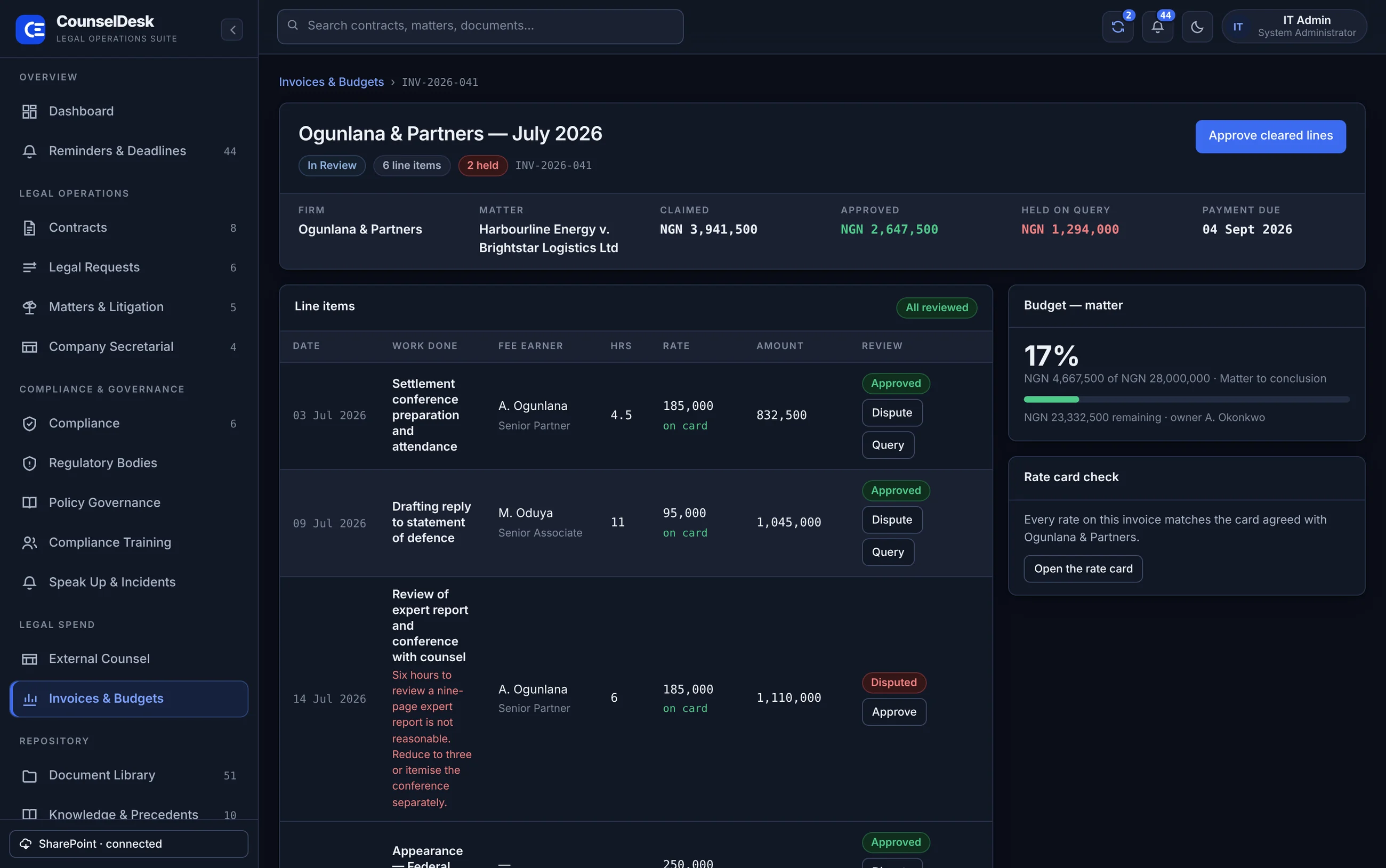
Itemised invoices reviewed line by line, with each line checked against the agreed rate card. Budgets by department, matter and firm, consumed only by approved lines.
Every legal document the department holds, across every register, searchable in one place, surfaced from SharePoint rather than copied out of it.
Approved templates, the clause library, opinions, policies and standard operating procedures, each with a count of how often it has been used.
Twelve charts drawn from the same records the department works in: contract value falling due, spend by firm, budget against actual, training completion, policy position, obligations by regulator.
Every user with their role, department, authentication method and last sign-in. Accounts created, suspended and restored here.
Library mapping, items indexed, sync log, the offline upload queue and the connection settings: tenant, site, authentication and permission scope.
Multi-factor policy per role, the six actions that require step-up verification, every signed-in session with one-click revocation, and the append-only audit trail.
The permission matrix, the controls in force, where each kind of information lives, the retention schedule, and a portability export with a full data dictionary.
Fourteen screens from the working system. Pick one.
Sample data throughout. The system runs in light and dark, and every screen works down to phone width.
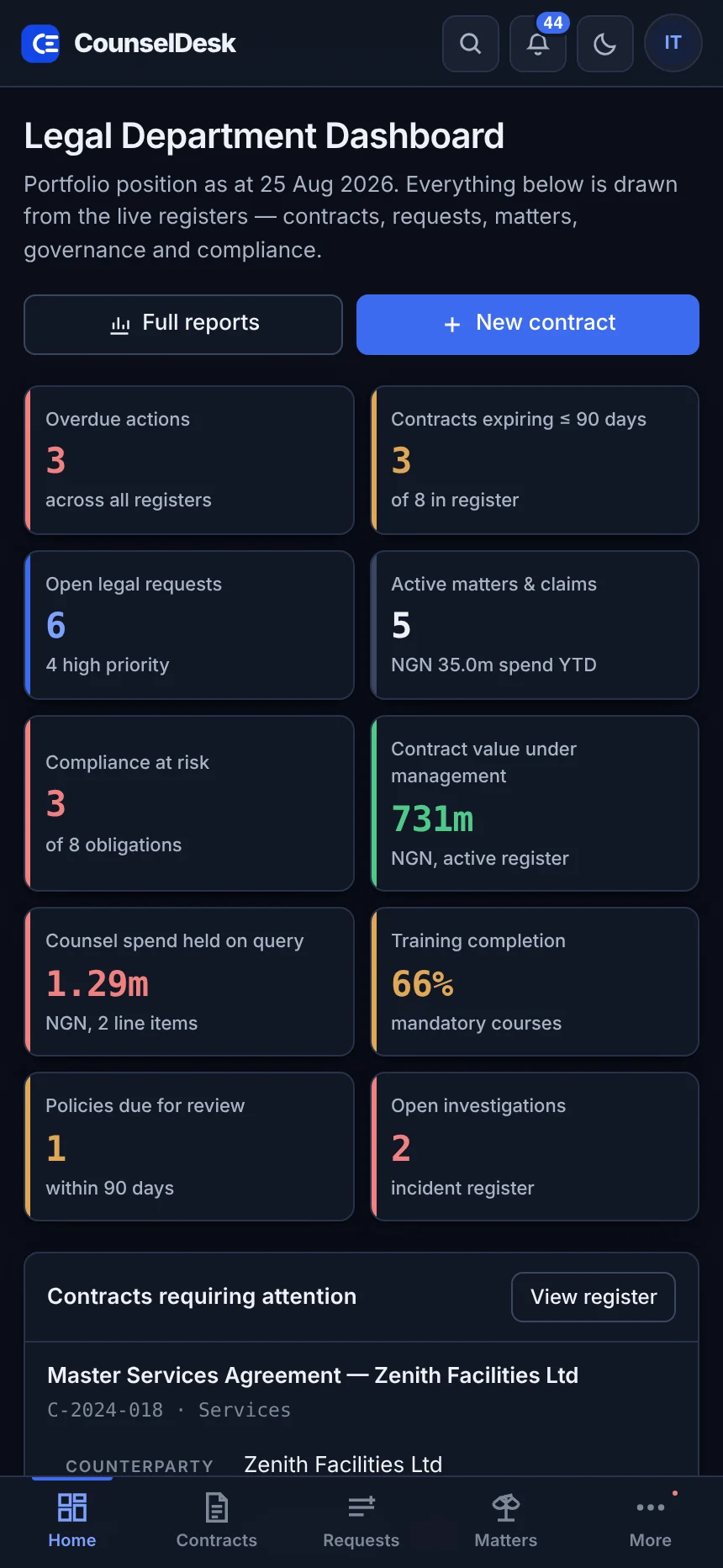
The same system, rebuilt for small screens rather than squeezed into them. Registers become cards, the navigation becomes a tab bar, and the tables you would otherwise scroll sideways turn into readable stacks.
A department raises a request. The whole legal team is emailed. The Head of Legal assigns it, and the requester is told who has it. Every move after that, forward or back, emails the requester, the assignee and the Head.
Outside-counsel invoices arrive as line items, not as a single figure. Each line can be approved, queried or disputed on its own. Approving clears the good lines for payment and leaves the argument open with the firm.
When someone chooses to report anonymously, nothing identifying them is recorded: no name, staff number, email address, IP address or device identifier. There is no hidden field holding the reporter's identity, and none can be recovered, because the system never had it.
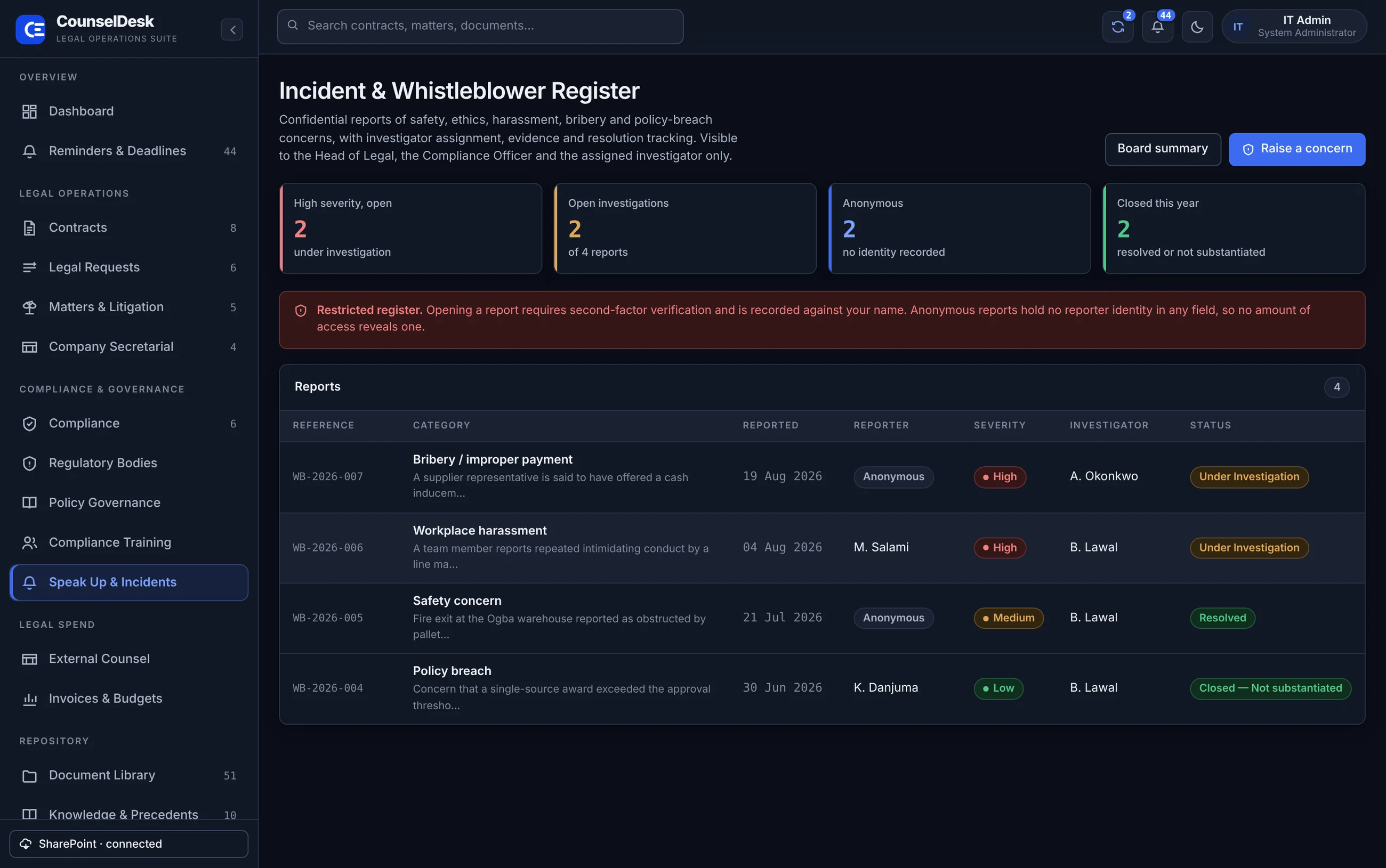
Legal matters, agreements, incident reports and spend data all need controlled access and a trail that holds up later.
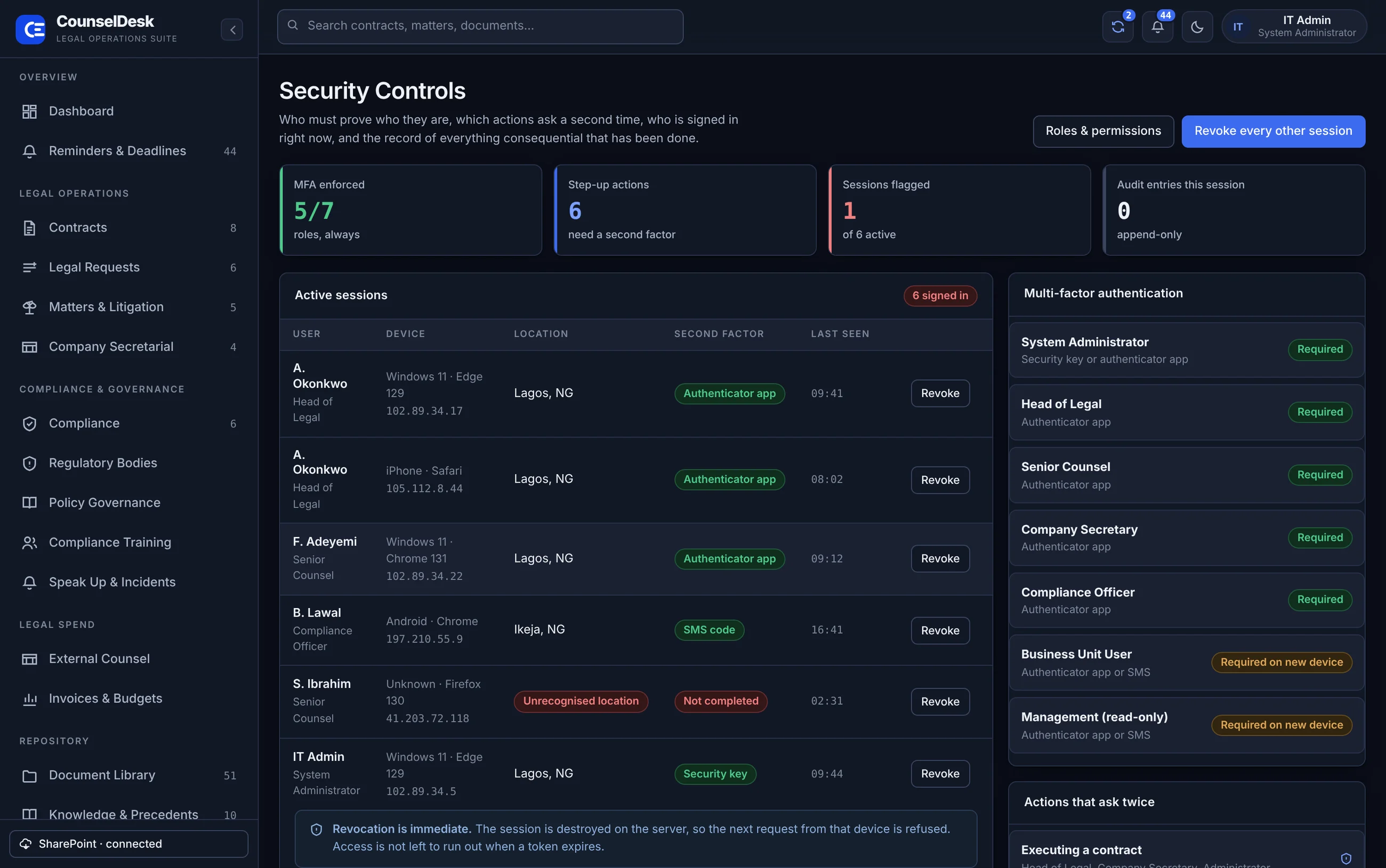
Seven roles with an explicit permission matrix, enforced on the server rather than hidden in the screen. A business user does not see what they are not entitled to.
Required always for legal roles, required on a new device for the rest. Authenticator app, security key or SMS.
Six actions ask again: executing a contract, approving an invoice, publishing a policy, changing a role, opening a restricted report and revoking a session.
Entries are added and never edited or deleted. The application account is granted no update or delete permission on that table, which is what makes the trail evidence rather than a log.
Every signed-in session listed with device, address and location. One click ends it on the server; access is not left to run out when a token expires.
A dedicated database and a dedicated SharePoint site. No shared tables, no shared storage, no other organisation's data alongside yours.
The software is built. Implementation is making it yours.
Everything in the second column is work on top of a system that already runs. None of it is a prerequisite for going live.
No. It indexes SharePoint. Documents stay where they are, under the same Microsoft 365 permissions, sensitivity labels and retention policies. CounselDesk adds the registers, the deadlines, the workflow and the reporting that SharePoint on its own does not give you.
On your infrastructure. Records in a MySQL database you control, documents in your own SharePoint site. Nothing is held in a shared environment with another organisation's data.
An export produces every business table, every reference table, a data dictionary describing each column, and a manifest with row counts so a receiving system can verify it got everything. Documents are not copied into the export, because they are already in your SharePoint, and the export carries the link to each one.
Most of what a department asks to change, such as statuses, roles, permissions, workflow stages, approval thresholds, reminder rules, regulators and retention periods, is data rather than code and is changed by an administrator. Anything beyond that is a scoped piece of development, quoted before it starts.
Naira throughout, and the regulator register ships with CAC, FIRS, NDPC, FCCPC, NSITF, the Federal Ministry of Environment, state safety commissions, SON and NCDMB, alongside international bodies for cross-border work. Statutory obligations such as annual returns, NDPA audit filing and tax returns are in the compliance register from day one.
It is licensed per deployment rather than per seat, so the whole company can raise legal requests and acknowledge policies without the cost rising with headcount.
It depends on the size of your registers, how much of your existing data has to be loaded, and which integrations you want from the start. We give a fixed price after a scoping session, not a figure before we have seen your workflows.
A working session with your legal and IT teams: we walk the system against your real workflows, show the screens that matter to you, and agree what configuration you would need. About an hour.